Why AI Struggles With Eye Gaze, and How EditGaze.com Solves the Problem
Generative AI can create remarkably realistic people, convincing lighting, detailed clothing and complex environments, yet one seemingly simple request still causes surprising problems: telling a character exactly where to look. Asking an image generator to move someone's gaze slightly to the left, toward another person, or toward a specific object often produces inconsistent results. EditGaze.com was created to solve that problem by giving the user direct, manual control over eye direction after the image has already been created.
Eye gaze looks simple because humans perform it constantly without thinking about it. From an image-generation perspective, however, it is a surprisingly precise geometric relationship. Both eyes must rotate in a coordinated way, the irises and pupils must remain correctly positioned inside the eyelids, and the resulting direction has to agree with the position and angle of the head.
A prompt such as "make the woman look slightly to her left" sounds perfectly clear to a person. For a generative image model, however, words such as "slightly," "left," and even "look" do not translate into an exact pair of iris coordinates. The model is generating an entire image from learned visual patterns rather than manipulating a pair of eyeballs according to a deterministic geometric instruction.
This is why repeated generations can produce very different interpretations of the same request. One image may have the person looking almost directly at the camera. Another may move only one eye. Another may rotate the entire head instead of changing the gaze. In more obvious failures, the eyes may become crossed, the pupils may have different positions, or the facial identity may change while the model tries to satisfy the new instruction.
The problem becomes even more noticeable when the requested adjustment is small. A dramatic change such as "look far to the right" gives the model a strong visual concept to work with. A request such as "move the gaze about ten degrees toward the object on the left" requires precision that ordinary text prompting was never designed to provide.
Editing an existing AI-generated image can be equally difficult. Generative editing tools often reinterpret more of the face than the user intended. A request to change only the eyes may also alter the eyelids, eyebrows, skin texture, facial proportions or lighting. The new version may technically be looking in the correct direction while no longer looking like exactly the same person.
There is also a fundamental difference between generative control and direct manipulation. A prompt describes a desired result and asks the model to interpret it. A traditional image editor gives the user direct control over specific visual elements. For something as sensitive as eye direction, direct manipulation is often the more useful approach.
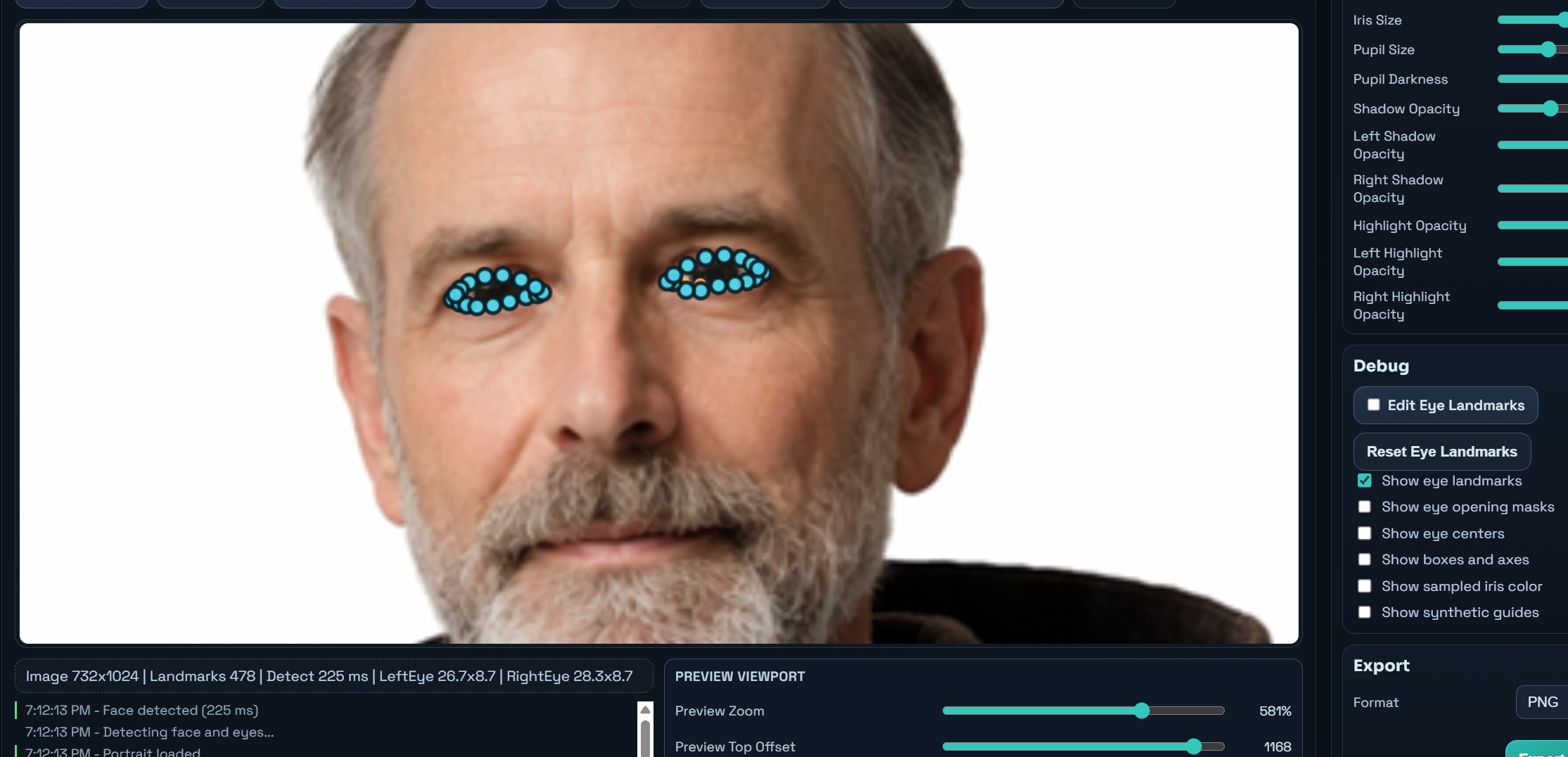
EditGaze.com takes that approach. Instead of asking an image generator to create another version of the entire portrait, the editor detects the eyes in the existing image and allows the user to adjust their gaze directly.
The visible openings between the eyelids are detected and used as masks. New controllable eye elements are rendered inside those openings while the original eyelids, eyelashes, skin and surrounding facial details remain in place. The iris and pupil can then be moved together without regenerating the rest of the face.
This changes the problem completely. Instead of repeatedly prompting an AI model and hoping that "slightly left" is interpreted correctly, the user can simply move a gaze control until the eyes point in the desired direction.
EditGaze.com also provides controls for situations where automatic eye detection is not perfect. The eye-opening masks can be moved and resized, individual landmarks can be adjusted manually, and the compositing edge can be softened to better match the original photograph.
Because the two eyes in a real photograph are rarely identical, many settings can also be adjusted separately. Eye-base brightness, shadows, highlights, positioning and other parameters can be fine-tuned for the left and right eyes independently. This is especially useful when the face is turned, the lighting is uneven or one eye is more visible than the other.
The editor also allows control over iris color, iris size, pupil size, eye-white brightness and lighting effects. These settings are not intended to replace the original portrait with an entirely different face. Their purpose is to make the replacement eye region blend naturally with the image while preserving the rest of the portrait.
Another important advantage is repeatability. Once a gaze direction looks correct, it stays correct. The user is not asking a generative model to reinterpret the request every time. The adjustment is based on explicit controls, so moving the gaze left, right, up or down produces a predictable result.
This is particularly useful for AI-generated artwork, advertising images, character portraits, thumbnails, composites and scenes involving multiple people. In these situations, gaze direction can dramatically affect the meaning of an image. A character looking at the viewer creates a different impression from the same character looking at a product, another person or something happening elsewhere in the scene.
Generative image models are exceptionally good at creating images from broad visual instructions, but they are not always ideal for precise local corrections. Eye gaze is a good example of a task where a small dedicated tool can provide more control than another round of prompting.
EditGaze.com is designed around that idea: generate the image you want first, then adjust exactly where the person is looking without asking the AI to recreate everything else. Instead of describing the gaze and hoping for the right interpretation, you can simply place it where you want it.